I definitely want to learn to digitize my own files for embroidery. The prohibitive cost of the software ($1000+) means I probably won’t be doing so any time soon, but Wilcom has a new package called Hatch which I downloaded a 30 day trial of. It’s a full featured digitizer with a (theoretically) easier to use interface. So I’m playing around with it and today I gave the auto-digitizer a spin.
I ran it through the auto-digitizer, setting a blue fill for the body and white fill for the eyeballs. Everything else is satin stitch. I tweaked the fill angles a bit and reordered some of the objects for easier to cut jump stitches, but otherwise left it as-is. Wilcom thinks it will look very nice! There are a little over 14,000 stitches. So it will take about 40 minutes to stitch out, not counting the time it takes me to rethread the machine between colors.
The stitch preview generated by Hatch
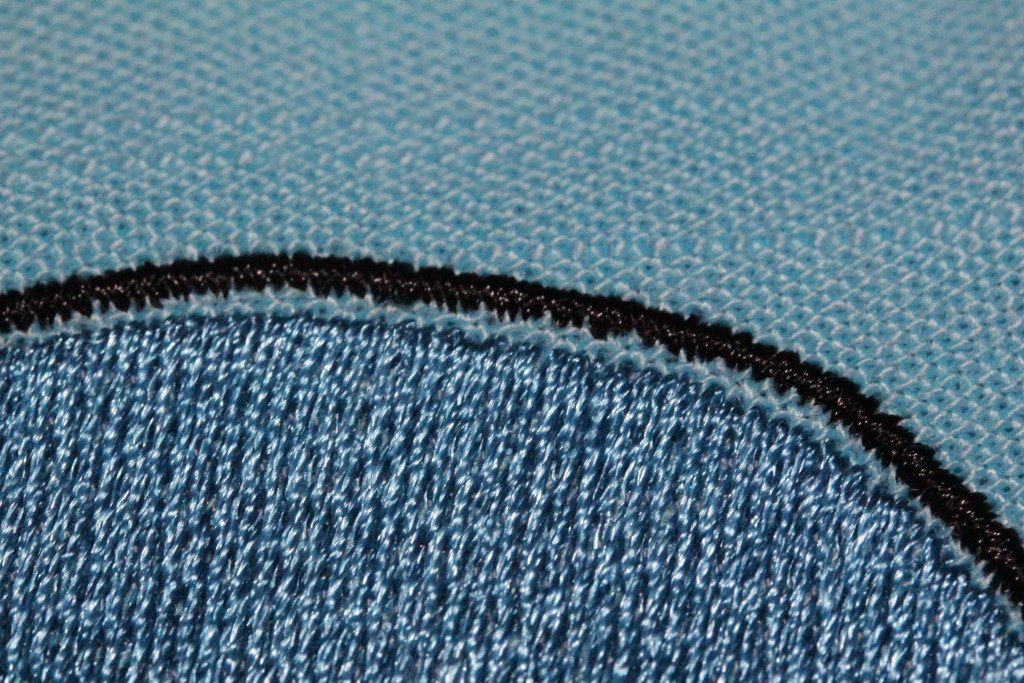
I stitched it out on some “linen look” cotton fabric using medium weight tear away stabilizer.
What a happy octopus!
Aside from the jump stitch I couldn’t quite get at with my scissors, there’s noticible pulling at the top of the head and the bottom of the legs.
Top of the headBottom of the tentacles
There’s also some around the eyes. This is not entirely unexpected, the stitches tend to pull in, leaving a gap and the vertical edges of the stitches.
I measured the gap at the top with my calipers (0.045 inches) at tried to compensate accordingly by reshaping the objects in Hatch. Then I eyeballed the other gaps and adjusted them too. I stitched out the pattern again, this time with contrasting thread so it’s easier to see how things line up.
Still cute!
This one came out better, but I was too conservative with my compensation. There are still visible gaps between the outline and the fill.
Top of the headTentaclesEyes and Mouth
I think with the 3rd round of revisions I’ll get it right, but this has definitely confirmed my skepticism of folks selling purely auto-stitched designs without a sample sew-out to show. A lot of the designs on Etsy have just the computer generated preview, and I suspect many of them have never been tested in the real world. I’m going to play with Hatch a little more to get a feel for manual digitizing, but for complicated or important designs I’m going to continue sending them out to professional human digitizers.
Last week I ordered a $300 embroidery machine off of Amazon. Fully acknowledging that most embroidery machines are $1000+, and that a good sewing machine starts around $300, I set my expectations accordingly. I knew it wasn’t going to be a great machine, but I also didn’t want to spend much more until I’m sure that machine embroidery is for me. Here’s what I’ve learned:
Cheap machines are a tensioning nightmare
Actually I already knew that, but the Brother SE400 reminded me how true it is. The tension on the Brother SE400 is fiddly. It’ll start skipping stitches, then I’ll rethread it, and it will sew just fine. Or it dislikes the bobbin for some reason. I can get it working, but every time I rethread it (more on that in a minute) I have to cross my fingers that it’s happy. Maybe I’m spoiled by my all-mechanical Janome, but I’m not to keen on the mysticism required to get the thing tensioned properly.
I really want a multi-needle machine
With a single needle machine every color change means rethreading. And on the SE400 every rethreading is an opportunity to make it angry. Plus occasionally I just screw up. I find myself loath to do designs with more than 5 or so colors because I don’t want to sit there changing them out every 5 minutes. If I was planning on doing any sort of production work a multi-needle machine would be a must.
The 4×4 work area is too small
The advice given in almost every “how to pick a machine” article is “get the biggest work area you can afford,” and it’s true. Even if you only want to embroider small stuff. Why? Because the 4×4 work area means you have to get your hoop placement just right, and on many items that’s a real big pain in the arse. It also means re-hooping if you want to place multiple designs on a garment.
The touchscreen LCD kind of sucks
When you’re stitching out a design it can show you the color info (handy if you’ve got a 10+ color design) or the stitch count, but not both, and switching between the two requires multiple button presses. Which wouldn’t be so bad except the touch registration on my machine is slightly off. This means that when I go to step back one stitch I often end up stepping forward an entire color (those two buttons are adjacent). I’ve learned always to write down the stitch count before touching anything.
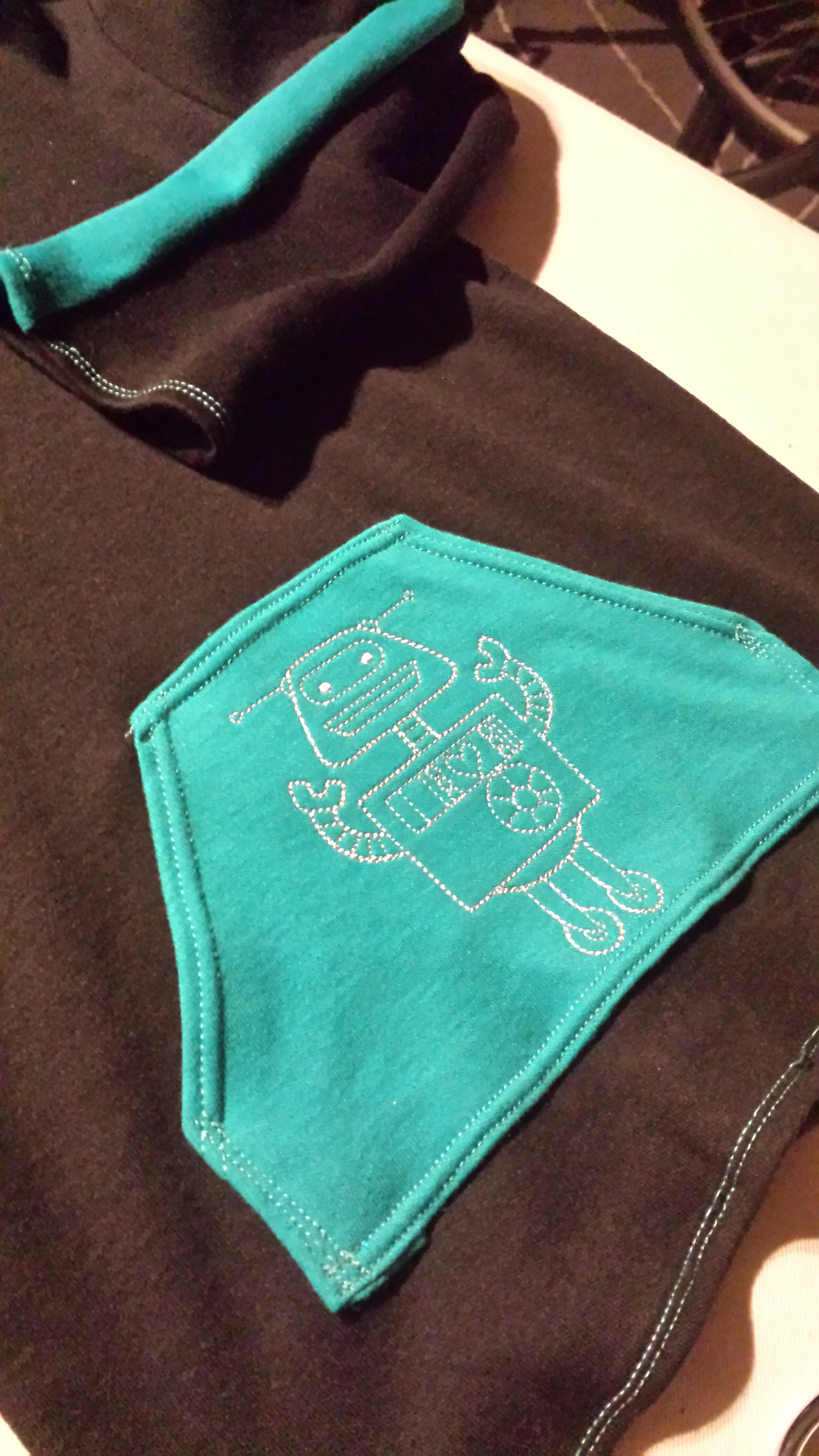
A hoodie I made for my nephew
Getting your own designs into the machine is easy… if they’re digitized
To download new designs you just plug the machine into your computer’s USB port and it presents itself as an external drive to drag / drop PES or DST files onto. Great! Seriously, this could have been way more painful and I was glad it was so easy.
That said, it turns out that digitizing files (going from a bitmap or vector to stitches) is a hobby in and of itself. Digitizing software is expensive (hundreds or thousands of dollars), and learning to do it takes practice. There’s auto-digitizing software available, but I haven’t heard many positive things about the quality of stitch outs produced. The conventional wisdom of the internet is to pay a professional to digitize your files if you don’t want to invest the time and money to do it yourself.
The good news is that pro digitization is cheap, generally $10-15 for a simple design. I found someone on Etsy who turned it around in a couple of days.
Despite its flaws, it’s still a fun machine
It won’t win any awards but it’s not a bad machine, and very fairly priced.
I made a hoodie for my nephew and the embroidery on it is completely adorable. I put my husband’s business logo on an old tote bag and he was stoked. And I’m learning a lot about the basics of machine embroidery. Which stabilizers to use with which fabrics, getting practice hooping things correctly, it’s all a learning process that will translate well to whatever machine I eventually upgrade to.
The use cases where I’d suggest buying a Brother SE400 are admittedly minimal. If you’re at all serious about embroidery, save up for something with a larger work area. While it does dual duty as a sewing machine, it’s not a particularly good one so if you primarily want a sewing machine I’d suggest putting the $300 towards a nice basic machine. I figure in 6 months when I have a really solid idea of what I want in a machine I’ll trade it in towards something fancier. Until then, expect to find it whirring in the background while I work.
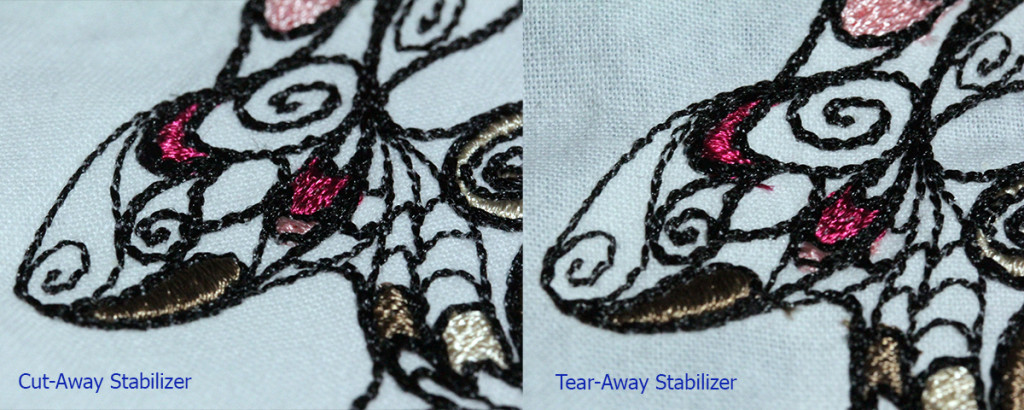
Did a few tests on my Brother SE400. Right now I have 3 different stabilizers: tear-away, cut-away, and wash-away. I ran some test designs using the tear away and cut away on muslin, without adhesive spray.
The designs I chose are from Urban Threads, and have a mixture of fill, satin, and straight stitches.
Sew out on heavy weight cutaway stabilizerOn tear-away stabilizer
The differences between the two stitch outs aren’t huge, but the cut-away stabilizer is definitely a little cleaner.
Note the top of the bunny’s head, which is decidedly wobblierThe intersection of the two designs has a little more shifting on the tearaway
There’s considerably more shifting on the tearaway, and I’m not sure how much of that is my poor hooping. I find it really hard to get the fabric taut without distorting it.
The next set of tests I run will use adhesive to secure the fabric to the stabilizer. The downside of the adhesive is that it creates a gummy mess if you aren’t careful.
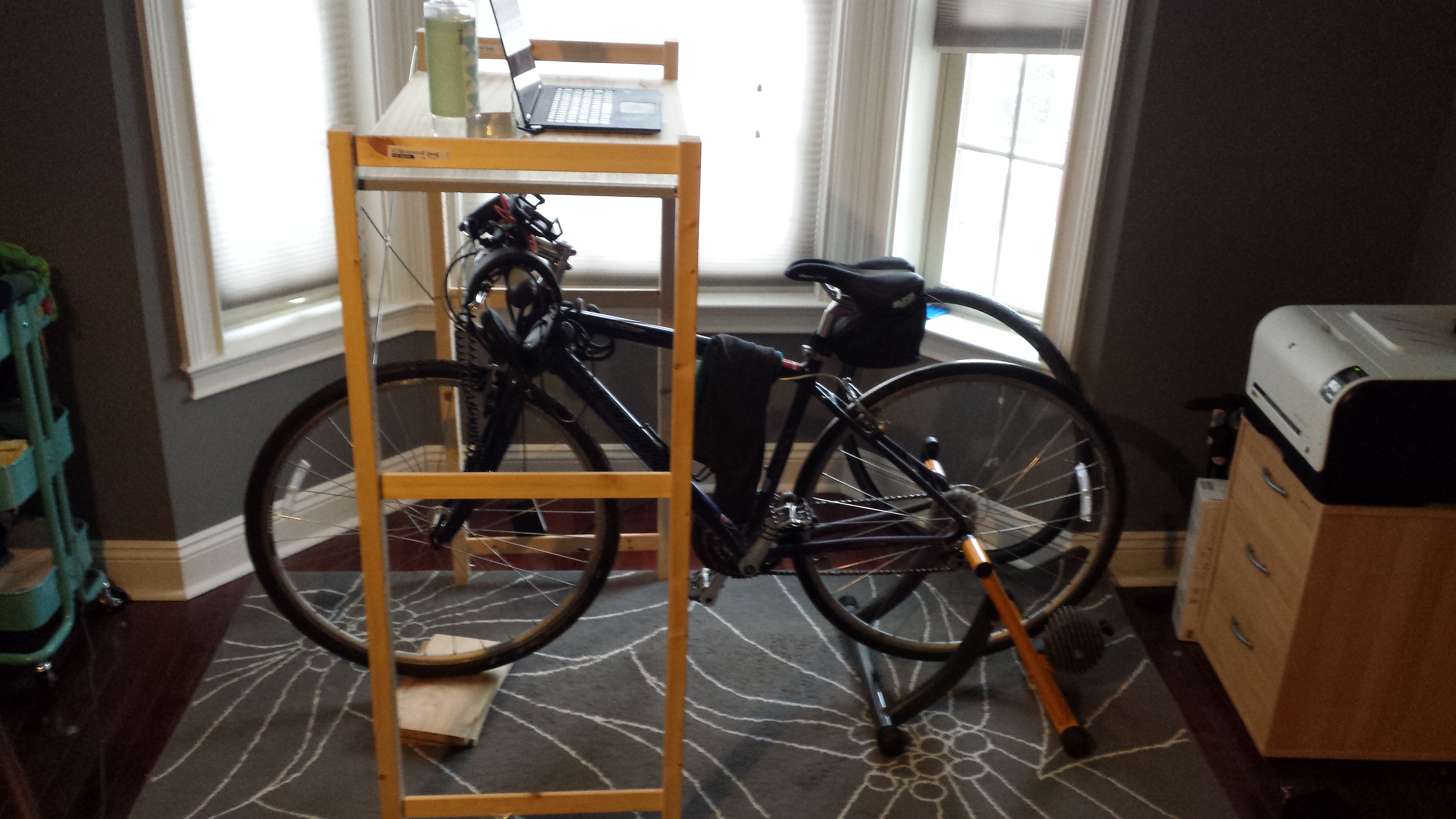
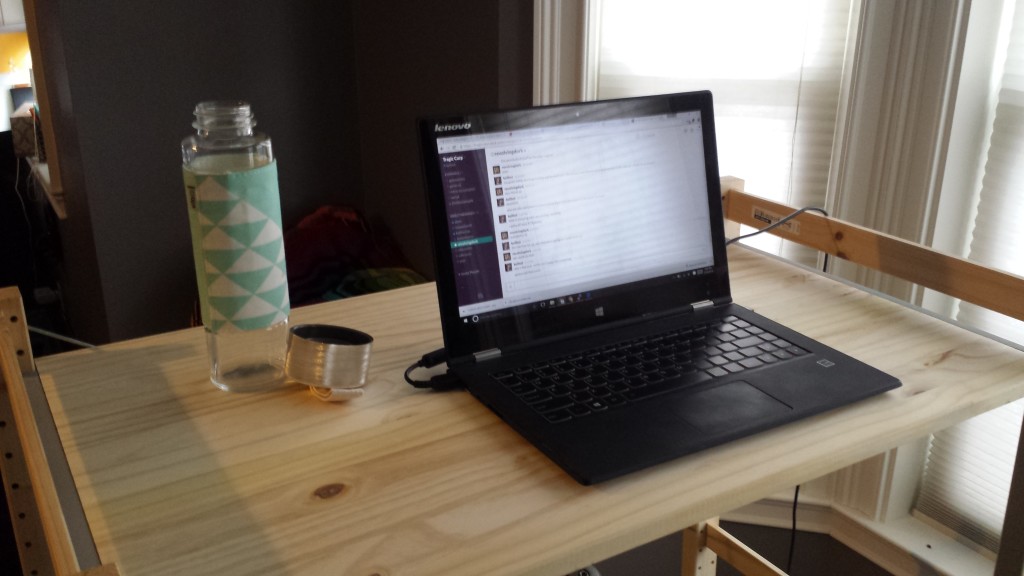
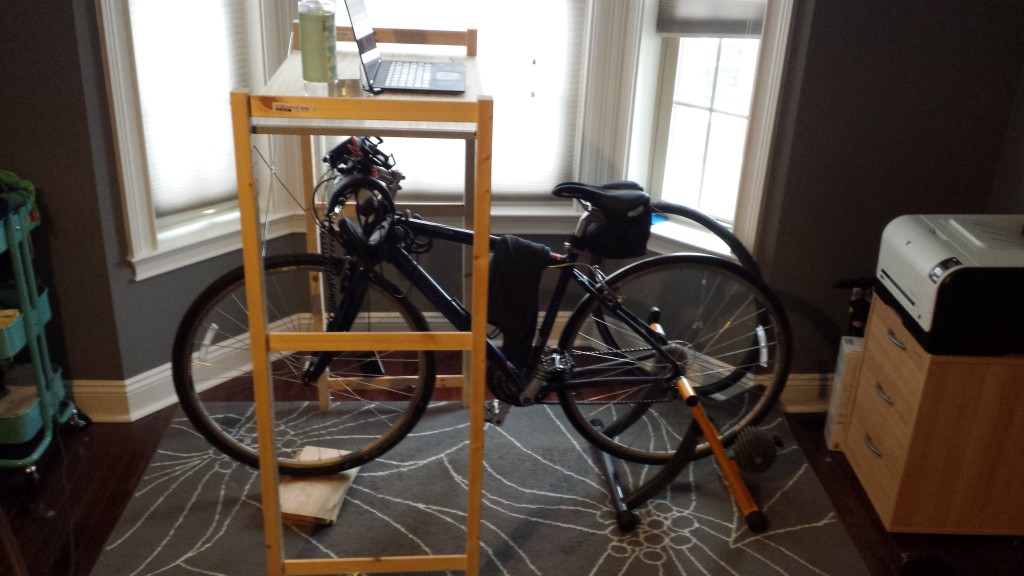
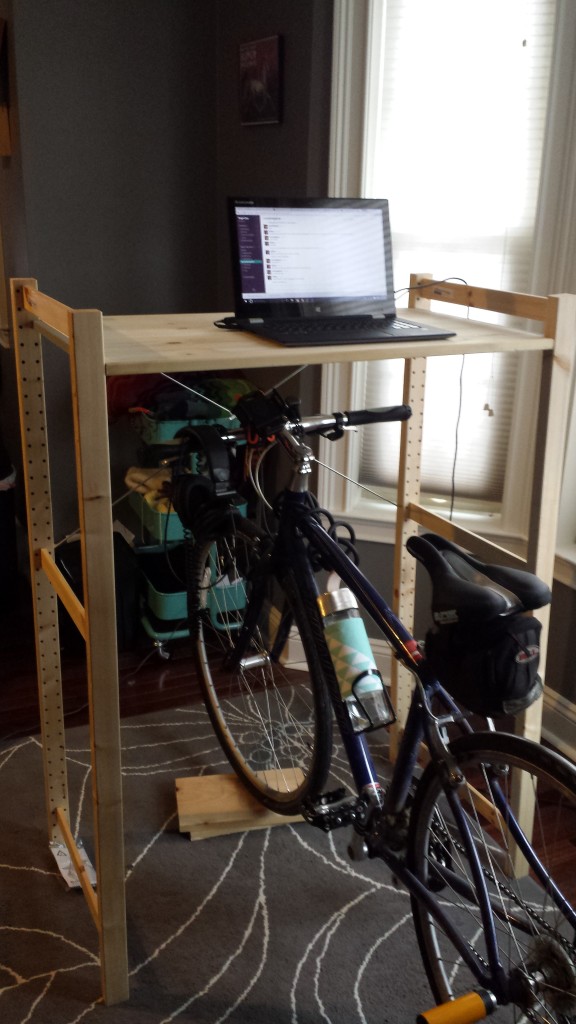
I picked up a bicycle trainer off Craigslist, a Century Fluid trainer someone else was offloading, and have been enjoying using it for workouts post-baby. It does get boring though, so I built a table that fits over it to hold my laptop.
The table had a few non-negotiable requirements:
It needed to be sturdy enough to hold my laptop (easy)
It needed to be adjustable vertically so I could either lower it for a real workout or raise it and type on my laptop for some pedaling-while-working
It needed to be easily removable
It needed to be cheap
I ended up finding the parts I needed in the Ikea IVAR system. I used two 20″ wide by 48″ high sides, one 20″x35″ shelf, and an X bracket to give the whole thing stability.
Bike in “typing” mode
The total including tax was under $45.
I pull the table up over the handle bars if I want to type on my laptop, and push it back so it’s more over the front wheel if I want to get an actual workout in. My only complaint is that the seat I have isn’t very comfortable when sitting upright and typing. I may pick up a gel cover to give my butt a break.
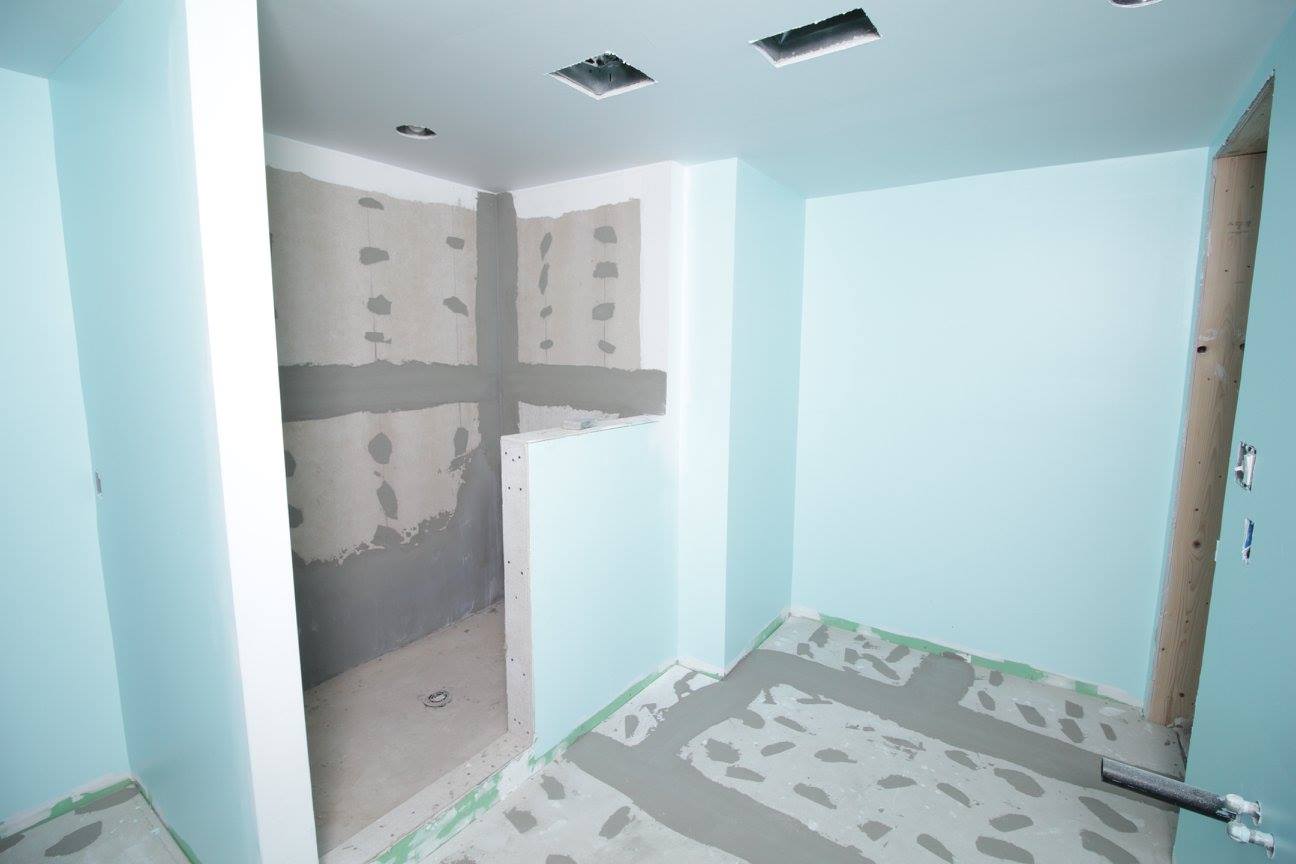
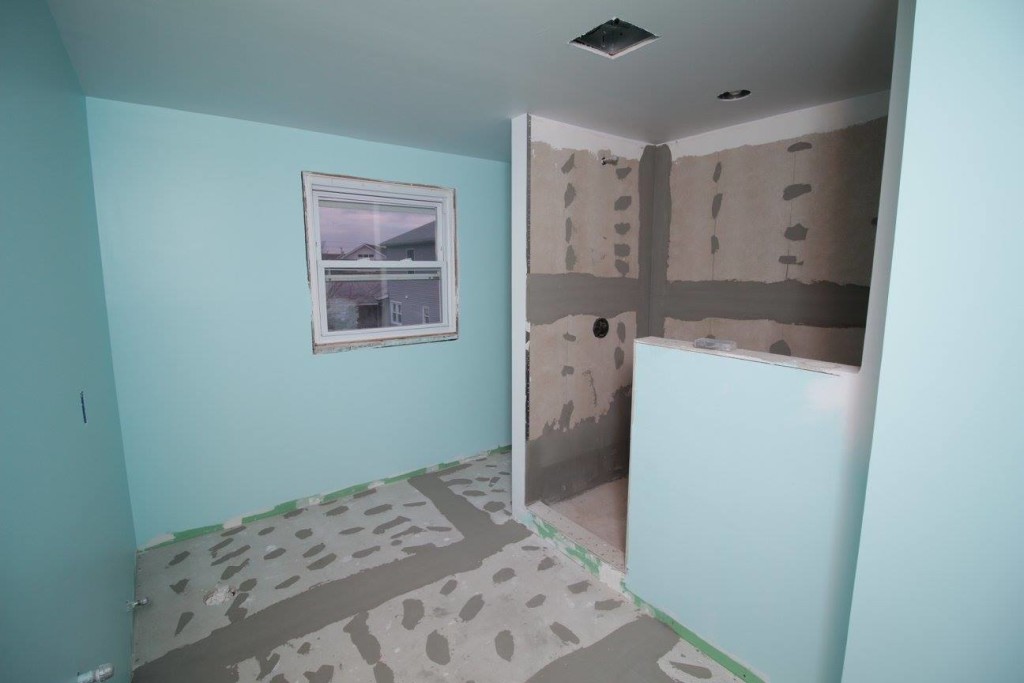
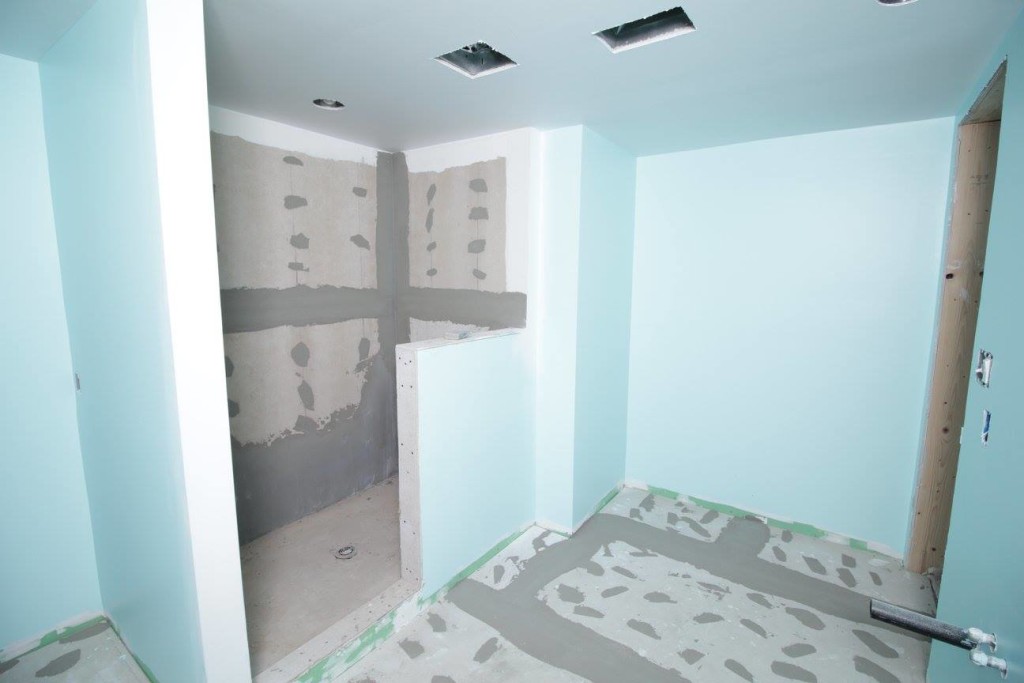
I snuck down to check out the bathroom progress yesterday, newborn baby and 3 year old in tow. The walls are back up, there’s a floor again, the plumbing is all roughed in, and hopefully this week they’ll start tiling.
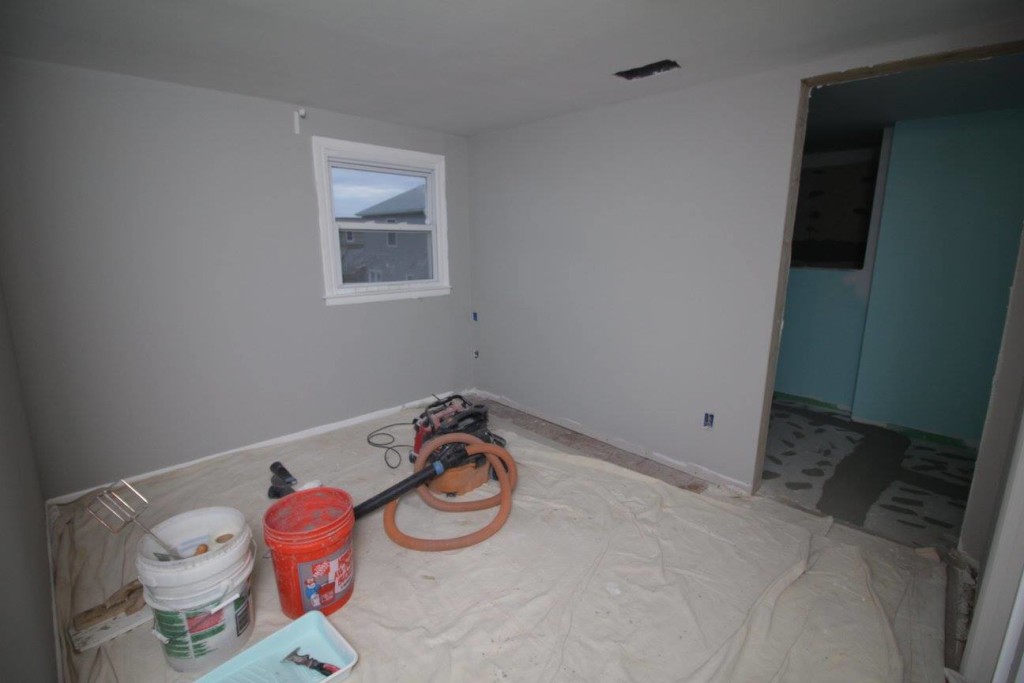
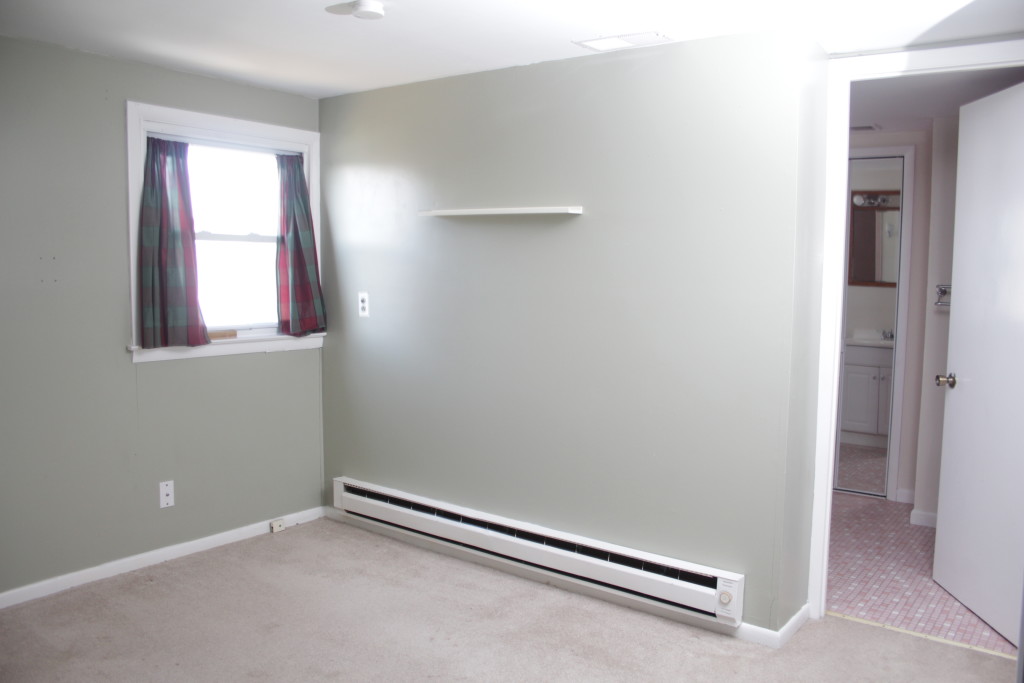
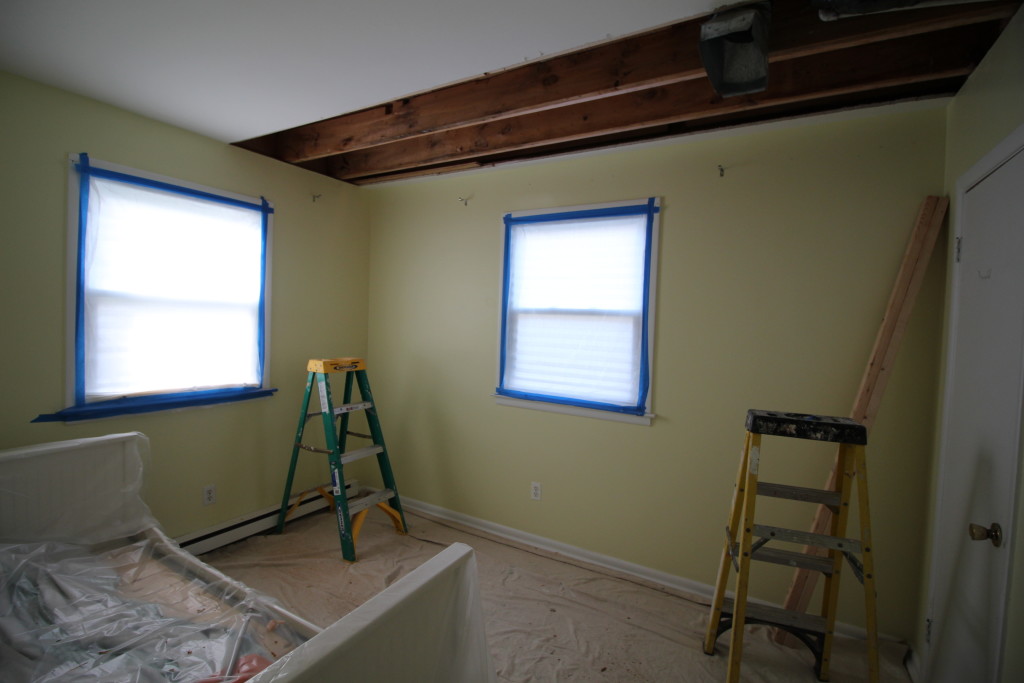
The downstairs bedroom, which had to be cut into to access the joists, is also all buttoned up and repainted. You’d never know it was disrupted.
The landing before the bathroom, now about 8″ wider. Previously the wall was right up against the window. There’s a small scar on the floor where the wall-to-wall carpet doesn’t cover but we’ll just put some furniture over it.Looking into the bathroom from the doorway. The shower is now where the closet used to be, and that alcove behind the shower is where a new closet is going. The bathroom will actually feel a little smaller than it did before due to the fact that the shower is an entire foot wider than it was before. Best of all, my dad can now stand in it without hitting his head. There is also a light in the shower and an exhaust vent right in front of the shower.Another view of the shower.
Like hundreds of millions of women before me, I have successfully birthed a child! It’s one of those things that is, by definition, so incredibly mundane. But so incredibly insane to experience!
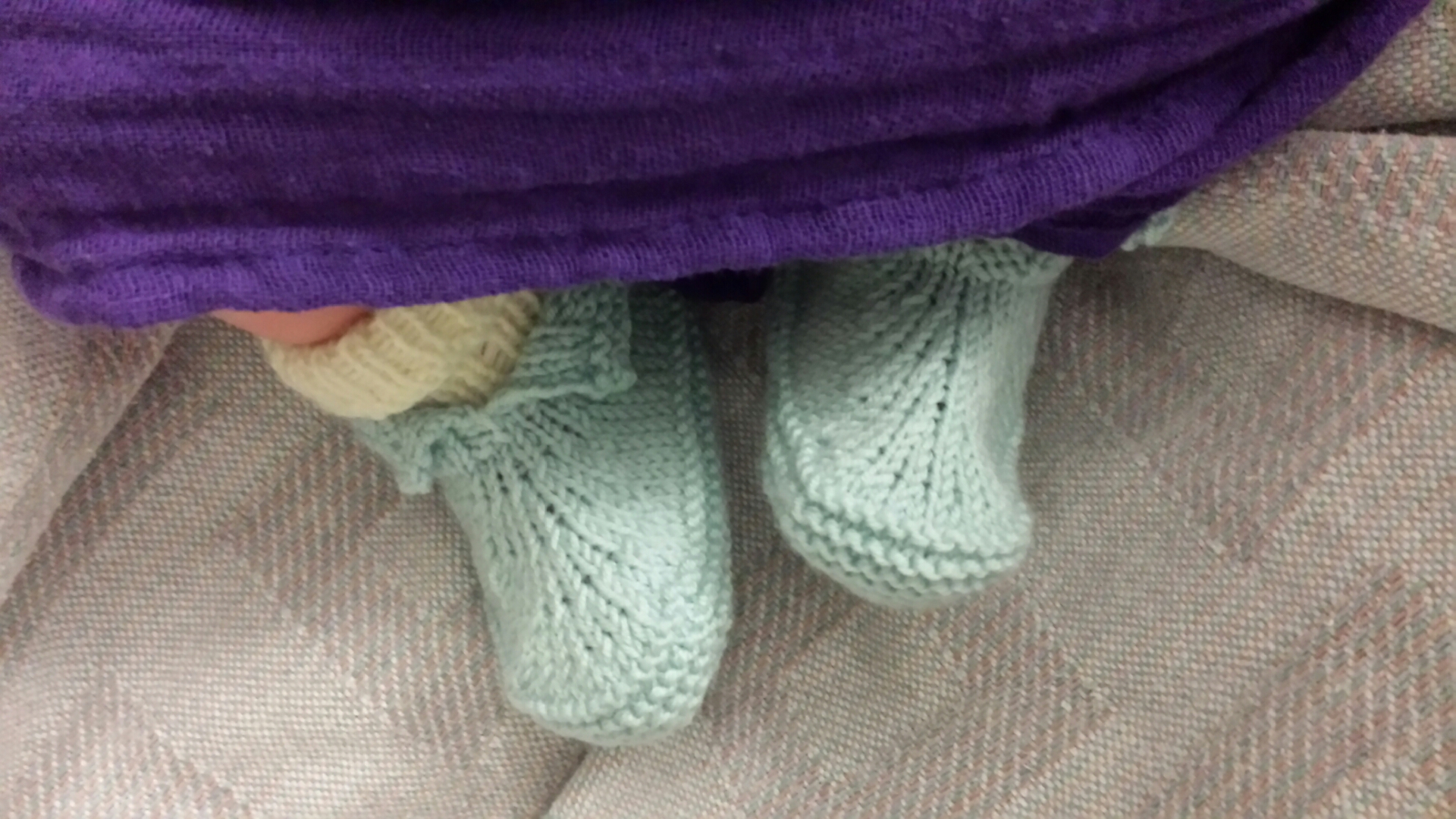
Baby feet in baby booties
I started having signs of preterm labor at 35 weeks, so you can imagine my shock and frustration when at 41 weeks I was still pregnant. After 3 miscarriages maintaining a pregnancy is pretty exciting. But dudes, being 41 weeks pregnant sucks no matter how much heartbreak it took you to get there. It is uncomfortable, and you can’t make medium-term plans to do anything fun because you literally might explode at any moment. Which is to say, I still owe my dad an outing to see Star Wars.
Did you know there are many old wives tales natural induction methods? If not, you will soon because everyone you meet will suggest them to you. With a sample size of 2 postdate pregnancies, I feel I can tell you definitively which ones work: none of them. I did enjoy the acupuncture and foot massages though.
I originally had an induction scheduled for Saturday night, but chickened out and moved it back to Tuesday morning. Something about being at the doctor’s office reminded me what childbirth is actually like and suddenly I was all JUST KIDDING I CAN STAY PREGNANT LONGER. Plus the prenatal testing came back great so I was no longer worrying that my baby was slowly expiring in my sad, defective womb. Admittedly after 3 miscarriages I also have very little faith in my body’s natural ability to make good choices.
On Saturday afternoon I had my usual “bullshit contractions,” which are vaguely more legit feeling than braxton hicks contractions, and last longer (maybe an hour or two), but never go anywhere. I had these almost daily for 4 weeks. I stopped paying attention to them. I got a pedicure, they went away. Then they came back! Then they went away. Chris started cooking dinner and I was like “FYI I might be in early labor, I’ll let you know in an hour.”
And hour later I was still having regular but mostly painless contractions so we called the doula to give her a heads up, and called my in-laws to pick up the 3 year old, still not really sure if this was legit. An hour after that I was having not-very-painful contractions 3 minutes apart, and was very confused about whether I should be going to the hospital now or not. My doula said it was either very early labor, or I was handling a fast labor very well. Without any real way to tell which was which I sat down to watch The Simpsons, and everything slowed down. I felt stupid for having called in the cavalry for more false labor.
At the doula’s suggestion I took a hot shower, and about 20 minutes later it was very clear that this was not false labor and that we needed to go to the hospital NOW. There was lots of cursing in the car. The security guard at the hospital did not need to ask why I was there (also no one else shows up to a hospital late at night carrying a yoga ball). Then I went to the PETU (I forget what it stands for but it’s basically labor triage) for THE WORST 20 MINUTES EVER.
For reasons that almost certainly involve lawyers, they need to get your baby on the monitor for 20 minutes at intake. This involves lying on a stretcher with a thingy strapped to you while you labor. THIS IS THE WORST. I have absolutely nothing positive to say about whatever lawyers suggested this was a good way for the hospital to cover their asses. During this part of the process I decided that unmedicated labor is for chumps and that I would probably like an epidural. The nurse encouraged me to wait until I was no longer attached to the Goddamned Monitor to make that decision.
Once freed from the Goddamned Monitor and reunited with my yoga ball the pain was indeed a lot more manageable. My doula arrived and after working through a few contractions I decided an epidural still sounded great. An OB checked me and said a bunch of numbers that describe my internal organs, the only one of which I remember was “6cm.” I was congratulated. I was then admitted to Labor and Delivery.
The next part is a blur and my husband and I disagree about the order of a few things. His memory is probably more accurate than mine. I was repeatedly assured the anesthesiologist was on his way. It’s entirely possible this was even true, but within 20 minutes it was very clear to everyone that the baby was going to beat him there. I had a bunch of truly miserable contractions, my water broke, I had a couple more miserable contractions, and then I started involuntarily pushing (still sitting on my yoga ball). I started freaking out because GUYS I DON’T WANT TO DO THIS WITHOUT DRUGS and my support team very lovingly explained to me that I was shit out of luck there.
I was herded onto the bed (even the progressive hippy hospital won’t let you actually pop your kid out onto a yoga ball), my midwife just barely managed to get her gloves on, and I started whining about how much I did not want to be doing this. I gave birth on all fours, not so much out of any choice but because there literally wasn’t time for me to try anything else. I also really had no control over the situation (because if I did I’d have quit). It took less than 5 minutes of pushing for a tiny baby girl to show up. It was about an hour and a half after I arrived at the hospital. Our car was still illegally parked out front.
Despite whining about the pain the entire time, I was actually sort of underwhelmed once it was over. Most of my anxiety stemmed from thinking the worst was yet to come, but it never did. I showed up at the hospital in a lot of pain but it never really got worse. I thought I was in “active labor” and kept bracing for “transition” and “ring of fire” kind of stuff. In reality I showed up in transition, and I think the ring of fire thing must only be for first time moms. Overall on a scale of 1-10 I give natural childbirth a 9. With the caveat that I don’t ever want to find out what 10 feels like.
After the baby (who we named Ada) was out, I was given pitocin to stop some stubborn bleeding. Then my blood pressure refused to come down. And despite having way less tearing than with my first birth I ended up with a bunch of stitches because apparently some vein just refused to quit bleeding everywhere. It took about 3 hours for everyone to decide that things looked OK enough to send me on to postpartum recovery. Ada stayed with us the whole time and even managed to get some decent nursing in.
Ada was born slightly shorter and a pound heavier than her sister was. At just a few days old she already has her own personality.
There was a post that went around a couple months ago explaining how to block irritating kids shows on Netflix. Unfortunately it was light on details and it’s actually a multi-step process. I spoke with someone at Netflix who said they’re working on offering more granular control for parents but in the mean time here’s how you can at least stop Netflix from suggesting mind-numbing crap like the demonspawn that is Caillou.
This was all done from the web interface, which will affect any devices that profile uses. We’ll assume you’re aware of step 0: log into your account.
1. Make your kid’s profile an ‘adult’ profile.
Yes, this is counter-intuitive. But only ‘adult’ profiles can rate shows so you have to temporarily set your kid’s profile to be not a kid. Don’t worry, we’ll change it back when we’re done. Go into “Manage Profiles” and uncheck “Kid”
2. Log in under your kid’s profile. Find the show you hate and give it 1 star.
Before the UI change you could mark it as “not interested” but now for some reason you can only give it 1 star. So go ahead and do that. This will let Netflix know you hate that show.
3. Go into the viewing history and remove the show entirely.
You can find the viewing activity link under your account settings, or just go directly there with this link. Make sure you’re on your kid’s profile. Find the offensive show (ctrl + f to search the page if you have to) and click the X on that line. You’ll get something like this:
The Hoarders episodes are mine.
Click the Remove Series link to remove the entire series from the viewing history. This will make it as though your kid has never seen the show (for Netflix, sadly memory wiping for your child isn’t part of this).
4. Turn your kid’s account back into a kid’s
Re-check the button you checked in step 1.
This isn’t a perfect solution. If your kid can read/write they can still search for and find the show. But at least Netflix will no longer suggest horrible irritating stuff you hate. And maybe someday they’ll let us truly block certain shows. We can hope.
I know it’s nothing compared to some of the people on Ravelry, but that’s like merely not being the drunkest person at an Eagles game. It’s just not high of a bar.
My goal for 2015 was to knit 50 balls of yarn and maintain a “one in two out” rule, and I’m happy to say that I pulled it off! I used 50 balls, gave away 12, and “only” purchased 30. Some of the more fun projects for the year included a “yarn topiary,” a christening dress for the new baby, a sweater for the 3 year old, and a big shiny Clapotis shawl.
I’ve got 10 projects on the needles. A couple of them just need minor finishing I haven’t gotten around to. One is a giant bedspread which will maybe be done sometime before my preschooler goes to college. The others are in various states of boredom or inconvenience (it’s hard to fit a bedspread in a tote bag and take it on the train).
I spent the last two evenings organizing my Ravelry stash (an online database of yarn which you can annotate with quantities, colors, etc) and tallied up just how much I have. I went by weight rather than yardage because it is much, much easier to measure.
I have 28.6 Pounds of yarn. 13 kilograms.
Back of the envelope math has that spread over 170 balls in 140 different brands/colorways.
My goal for 2016 is to reduce my total stash by 25%, which is a pretty tall order. It requires knitting through 2,500 grams of existing yarn plus anything I buy new. A lot of my focus will be on using up single skeins and odd balls of weird fibers that can’t easily be incorporated into other projects. Some types of yarn are just better to have lying around than others. I forsee a lot of tiny clothes and plush toys on the project list for the year.
We’re about a week and a half into the bathroom project and demolition was, in a word, enlightening. Other words one might use include “complete horror show” and “dear god what were they thinking?” I’ll dive into the details in a second, but first let’s skip to the end and see where we’re at now:
Once upon a time there was a bathroom here
You may notice something is missing. Something like… a wall. Or maybe you’ve forgotten, in which case let me jog your memory…
Hm something is different…
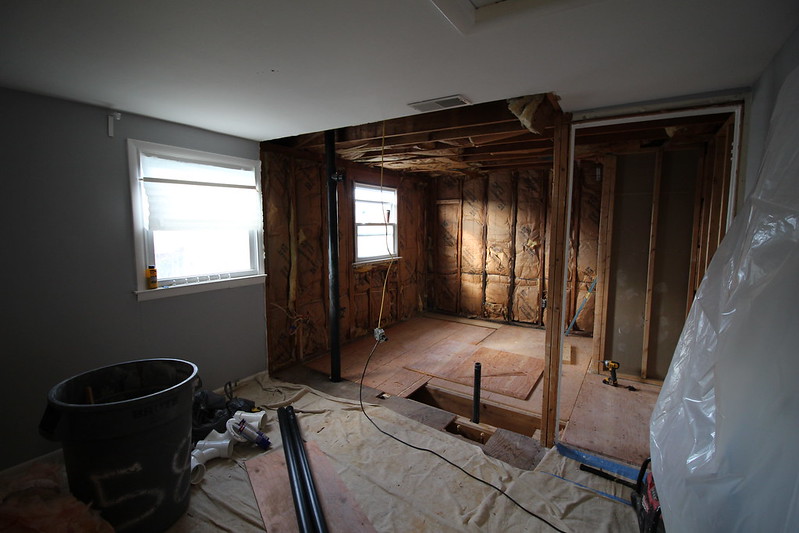
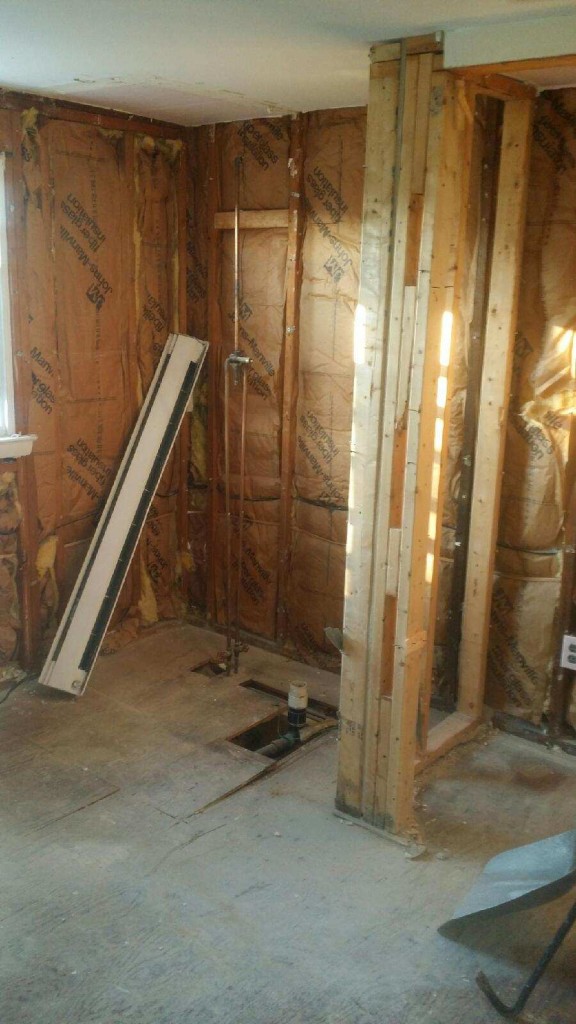
So yes, we removed a wall. Actually all the walls. And the floor. The whole room was gutted down to the studs and joists, and then we removed most of those as well.
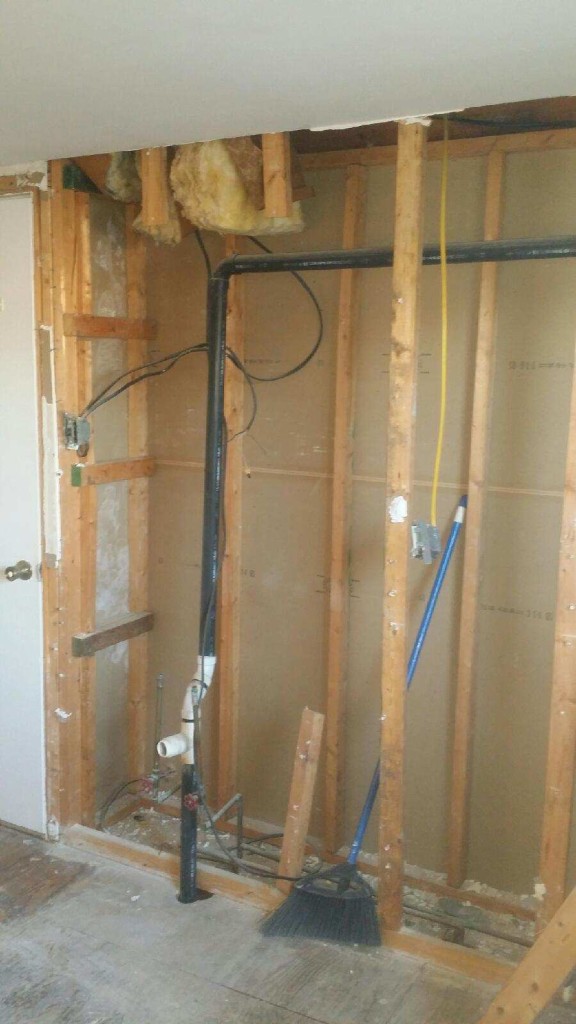
You’ll notice in the ‘before’ photo that the wall between the landing and the bathroom is about a foot thick. Why? We weren’t sure. Maybe there was ducting running through it. Maybe it was full of treasure. Or bees. So we opened it up and found…
Oh.
…Basically nothing. Well, we found a lot of questionable plumbing and electrical work. And the wall was framed with 2x3s. Badly. So it’s being torn out and replaced with a wall of more reasonable construction. We’ll gain about 8″ of space on the landing, which is nice. Downside is there will be a scar where the wall-to-wall carpet doesn’t cover, but that’s what area rugs are for.
Where the shower used to be
In a rare bit of good news it turns out the reason the shower was 8″ off the ground is that the person who installed it merely had no idea what they were doing. The new shower will have no problem being installed at floor level.
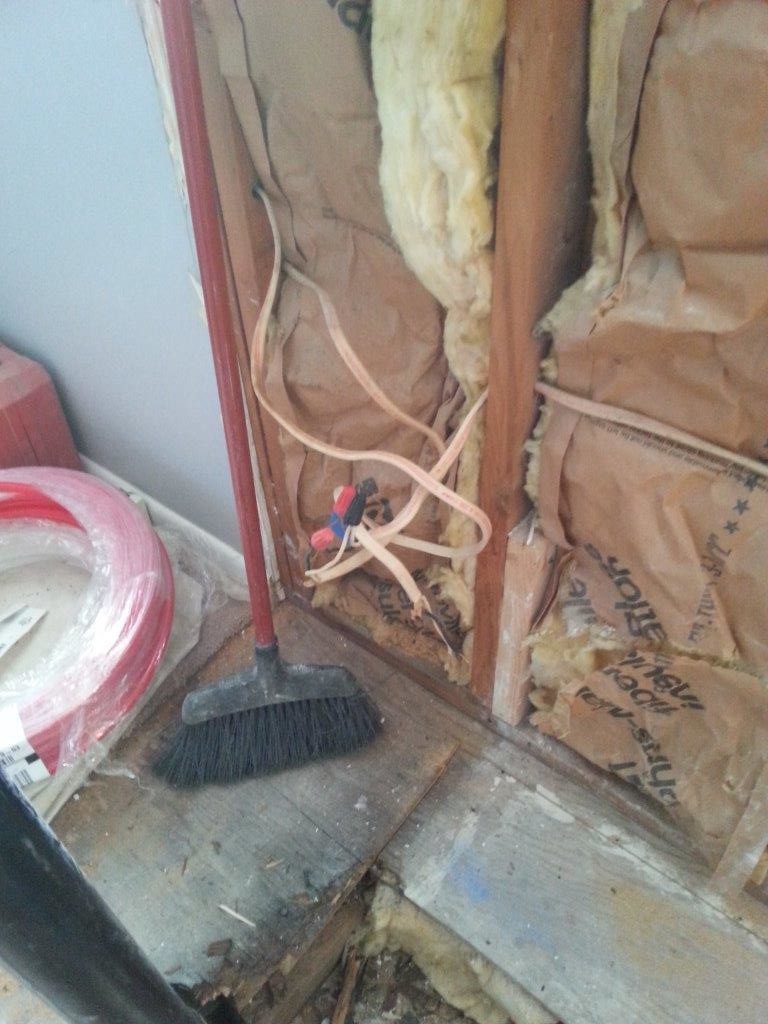
The electrical situation in the bathroom (and in fact the entire top floor) was rough. Random wires were taped together inside walls, everything was running on one giant overloaded circuit, improperly terminated junction boxes… it made me really glad we’re doing this now, and also amazed that the entire house hasn’t gone up in flames sometime in the last 30 years.
Oh yeah that looks super legit.
All the electrical in (and really anywhere near) the bathroom is being completely removed and redone. On the plus side we’re getting some new outlets in the rooms adjacent to the bathroom.
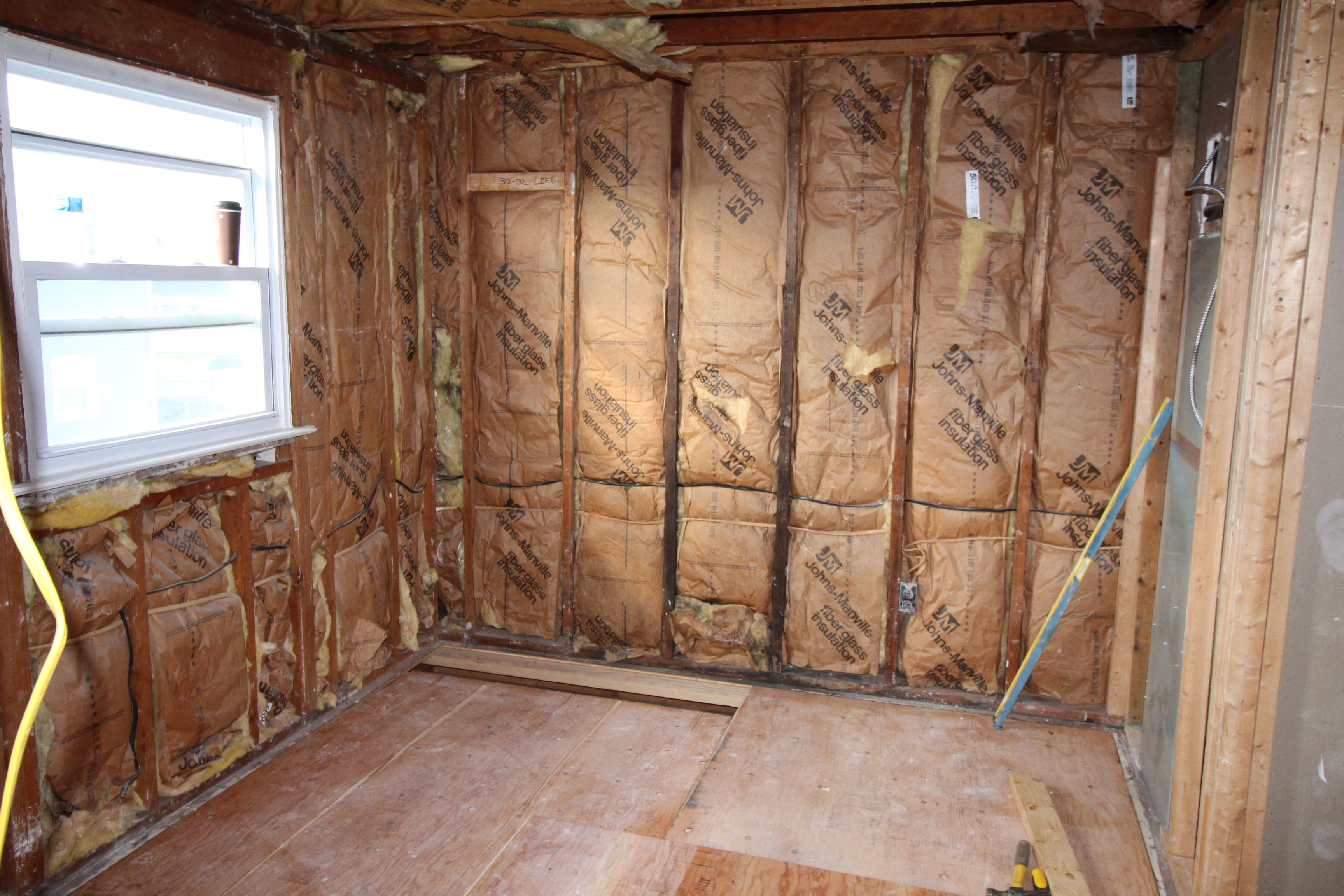
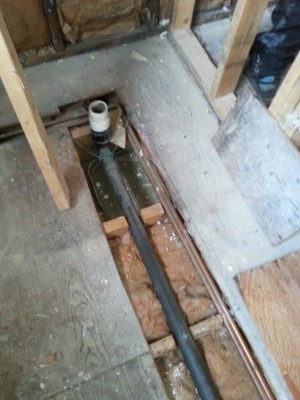
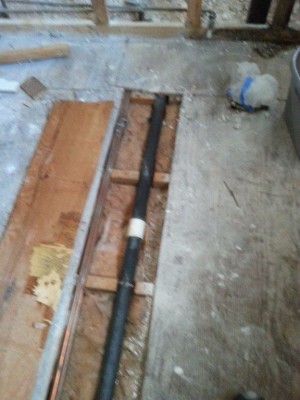
With the walls out of the way it was time to open up the floor and find out why it was so saggy / bouncy / otherwise shitty. It turns out the answer was very simple… giant chunks were missing from every. single. joist.
This is not
how you run
plumbing
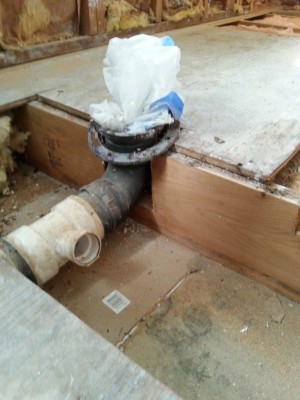
Rather than cut holes through the joists, which would have required some basic skills, the original owner just notched them to make room for the drain lines. Which was especially impresive in the case of the toilet drain (far right), which was left with barely 2″ of material. It is amazing no one ever fell through.
We also found out why the pipes were leaking (which is what started this whole process). They weren’t glued together at all. Just dry fit and then covered in silicone at some point when they started to leak. A cookie sheet was found underneath the shower drain, presumably to catch water. Because that is how you solve problems!
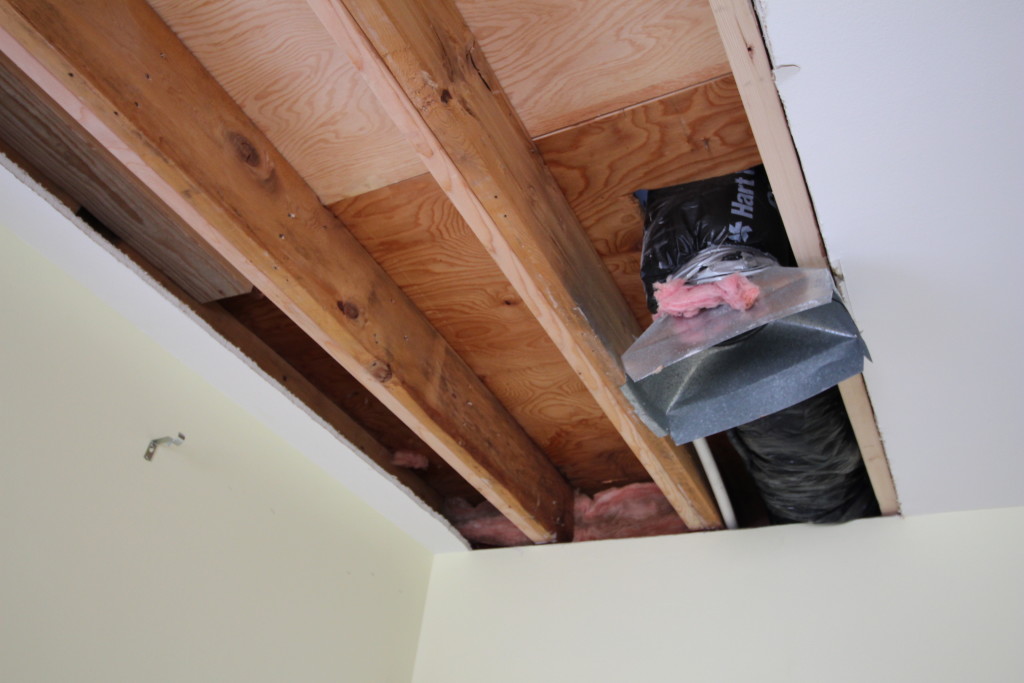
To fix the issues every single joist was sistered with new lumber. Unfortunately due to how the HVAC closet cuts into the room this meant having to cut into the freshly painted sheet rock in the room below. Unsurprisingly, it was super moldy and gross on the inside.
You can see the new lumber (lighter) running along next to every joist, and an HVAC vent popping out.
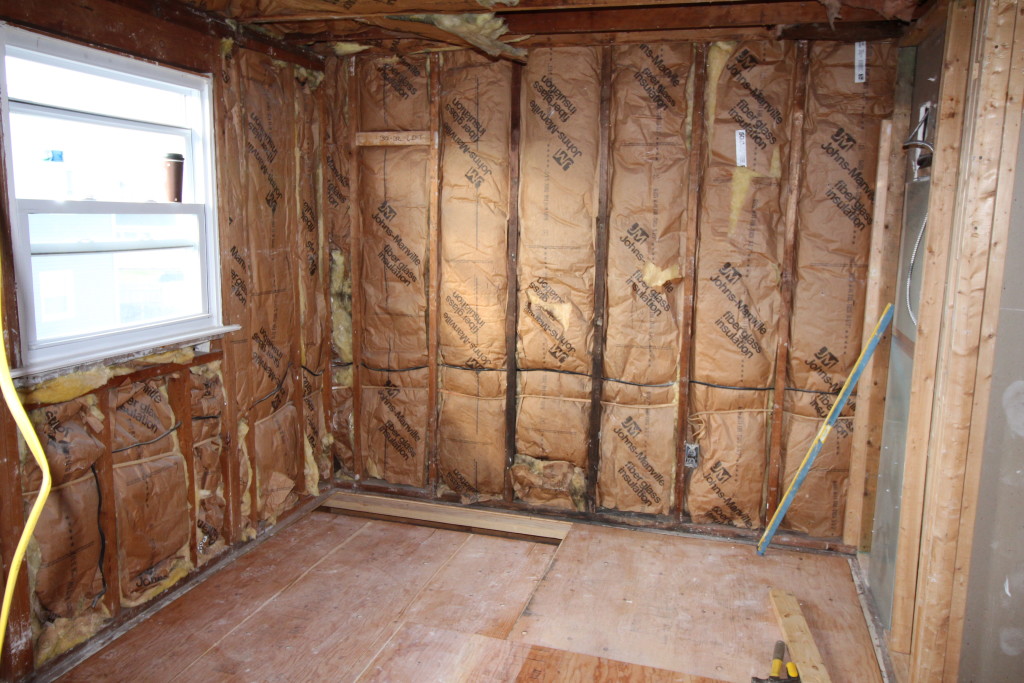
Moisture damage was a huge problem everywhere. The tile for the floor and for the shower were just installed over the plywood/drywall. The rotting subfloor has now been replaced but you can see the dark stains on the exterior wall studs from 30 years of water damage.
Where the shower and new closet will go.
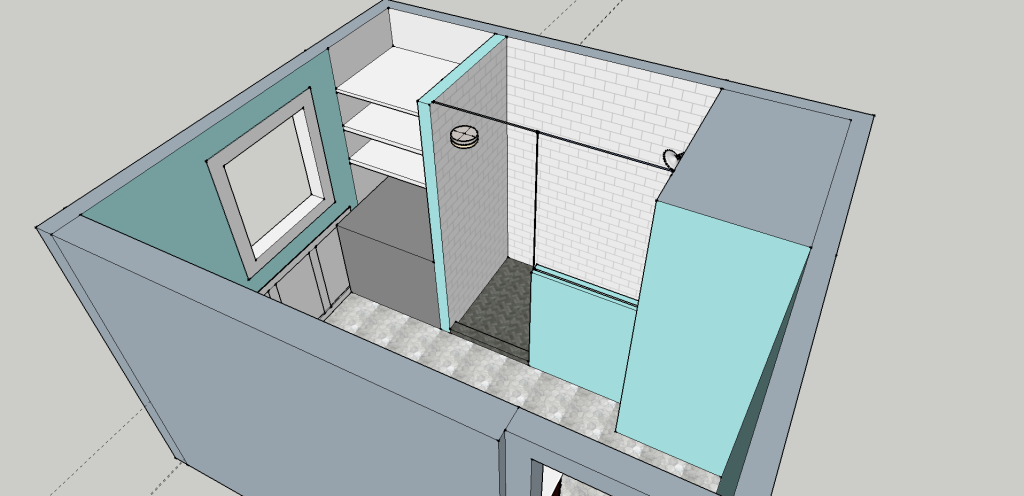
We made a decision to deviate from the original plan. Rather than put the shower on the outside corner next to the window we’re swapping it with the old closet. The shower will now butt up against the HVAC closet (which opens into the adjacent bedroom) and a combination cabinet / open shelving unit will be built between the shower and the exterior wall. The front of the shower will have a half-height wall to allow more light in. The main reason for doing this is to make the pipes easier to run, but it also allows us to make the shower whatever width we want without having to worry about running into the window.
Here’s a super rough sketch of the new layout
Hopefully by the end of this week we’ll have walls and floors again. Not that I’m likely to see it, at this point I’m too pregnant to stray very far from Philly. I only went down today because my husband was able to come with me and I was sort of daring the baby to come. I am only mostly disappointed it didn’t.
Between being super pregnant and … being super pregnant… I haven’t had much time to blog what’s going on with the house. Mostly I wander around in an 8-months-pregnant zombie state due to lack of sleep. But there are things happening!
You may remember that our waste stack started leaking. Due to a number of factors, the biggest of which being that the bathroom is completely ridiculous and was done incorrectly, the only sensible solution is to strip it down to the studs/joists and remodel it completely. This is not a surprise, but it wasn’t something I was planning on doing this year. Or really any time in the near future. But not having a working bathroom upstairs blows, so we found a contractor who seems good and thinks he can have it done by the end of the calendar year (ha).
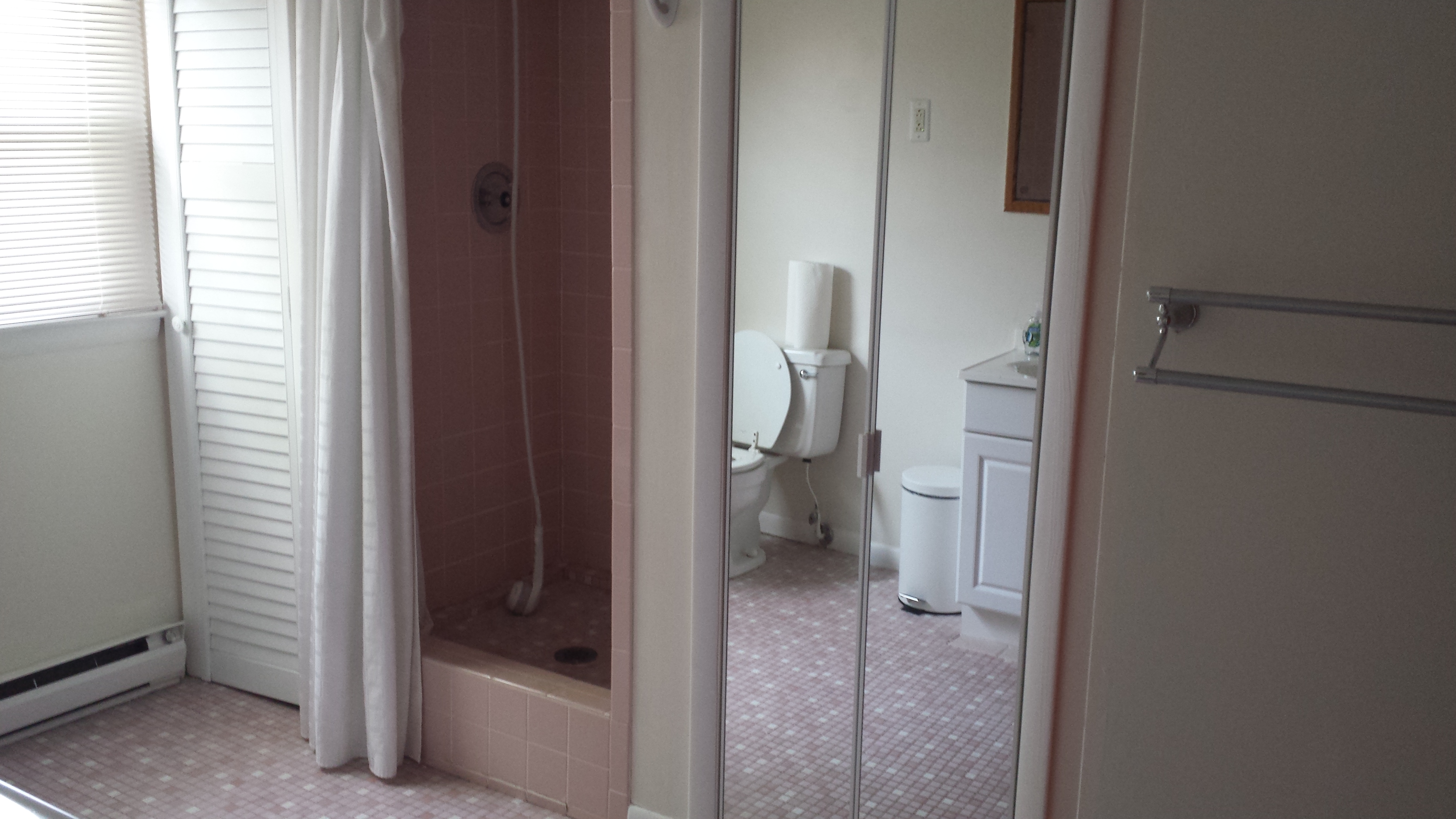
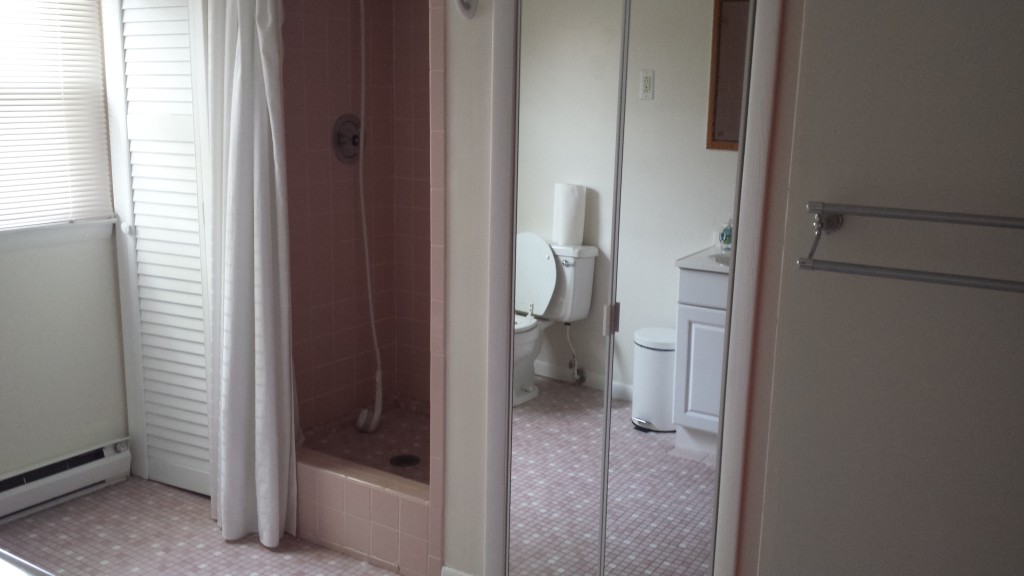
Closet, totally fucked up shower, mirror door.
Aside from the leaking waste stack our bathroom has a number of exciting “features” including:
A shower pan that is 8″ off the ground
A closet with a non-gfci outlet
Another closet that is totally stupid
A floor that slopes towards the shower and flexes as you walk on it
Water damage in the closet due to the fact that the shower walls are drywall instead of cement board
An interior wall that is a foot thick for no apparent reason
No bathroom fan
This week is the demolition and investigation phase, where we hope to find answers to questions like “why is the shower not on the ground?” and “how many new joists will have to be installed if we want the floor to stop jiggling?”
This time around we’re bringing in a contractor. I’m 8 months pregnant and sick of home improvement. The contractor is doing all of this, I’m really too pregnant to even go down there much after this week (the thought of sitting in traffic on the expressway while in labor is not appealing).
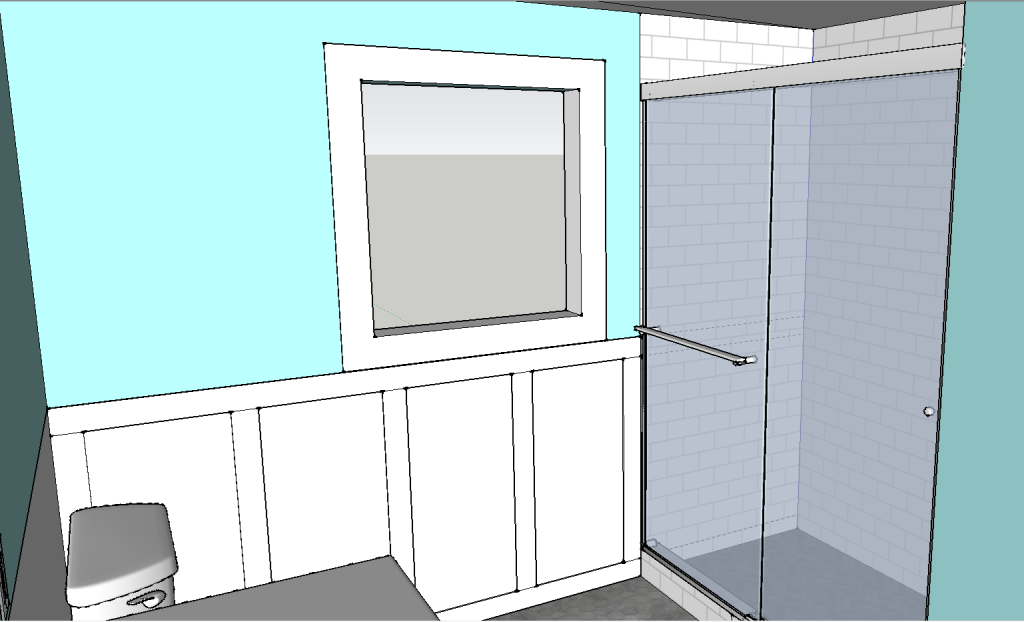
Initial sketch of the new shower
The basic idea is to remove the closet to the left of the shower in order to make it a more reasonable size (the current one is less than 3′ x 3′). Our contractor convinced us that in the long run we’d be happier with a swinging door rather than a sliding one, and he’s going to build a half height wall on the left side which he’ll put a little accessory nook in.
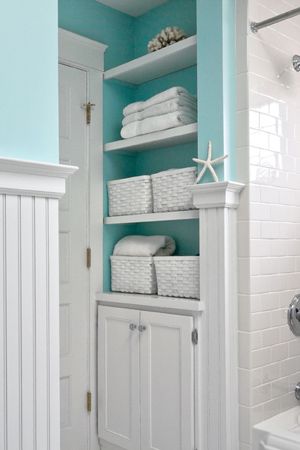
The rest of the bathroom layout will stay the same, but the mirror door closet will be replaced with something like this:
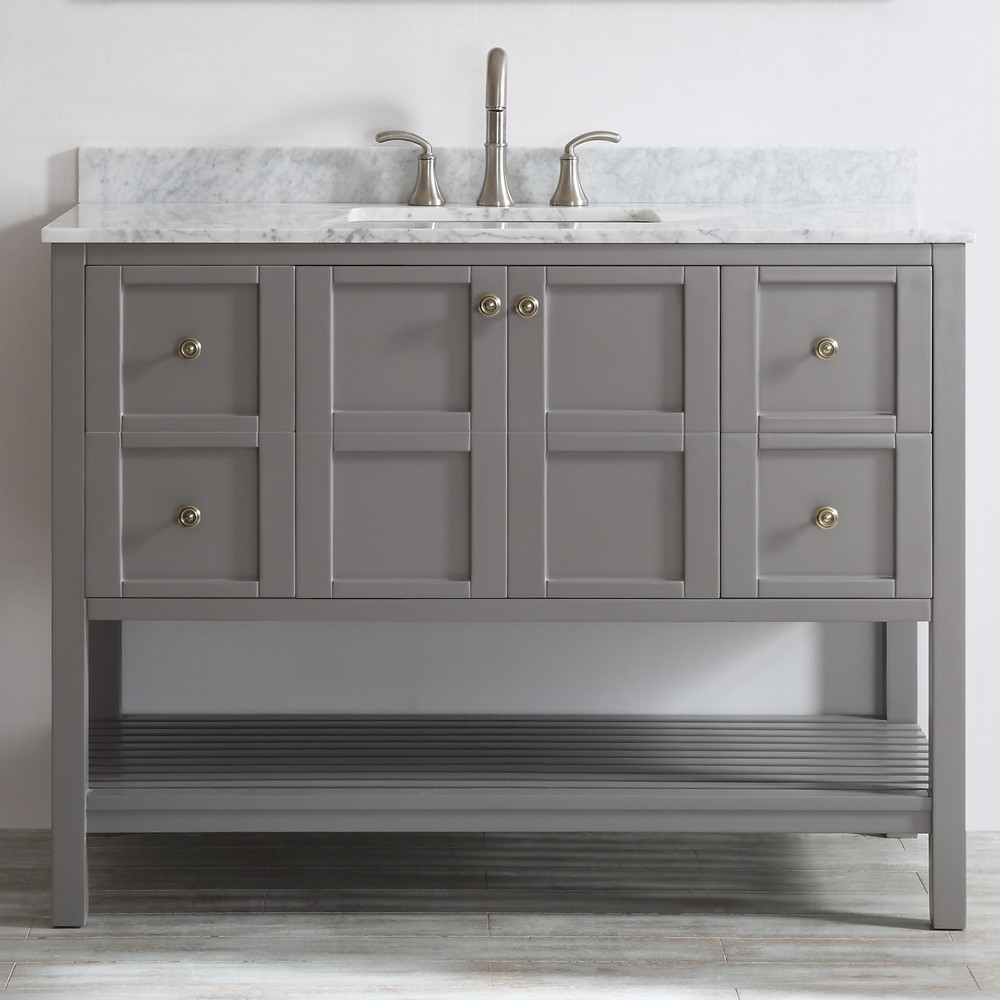
I’m not usually a fan of open shelves but I think they make sense in a guest bathroom. Folks can easily see where towels and stuff live without having to rummage through my closets. The cabinet doors will be made to match the vanity, which is this 4′ long monster:
I still need to figure out what we’re doing for vanity lighting. The ceilings are only 7′ so there’s not really room for a light bar above the mirror. I’m trying to find some wall sconces I like to put on either side of the mirror but not finding any I’m in love with.
Fingers crossed that we don’t find anything horrible lurking in the walls/floors. At least not anything worse than what we already know about. If we’re very lucky the bathroom will be done before the baby shows up, but since this is not my first home improvement rodeo I’m expecting delays. I’ll be happy if it’s done by the end of January.